# Setup Guide

This guide walks you through connecting Tailscale Aperture to Highflame for evaluating every captured prompt and tool call.

### Prerequisites

* A Tailscale tailnet with [Aperture](https://tailscale.com/docs/features/aperture) deployed and configured with at least one LLM provider
* A Highflame account with an active project
* A Highflame API key (format: `hf_sk-...`) available to configure the Aperture hook
* Access to the Aperture settings UI at `http://ai/ui/`

{% stepper %}
{% step %}

### Generate a Highflame API key

1. Log in/Sign Up to the [Highflame Platform](https://console.highflame.app/).
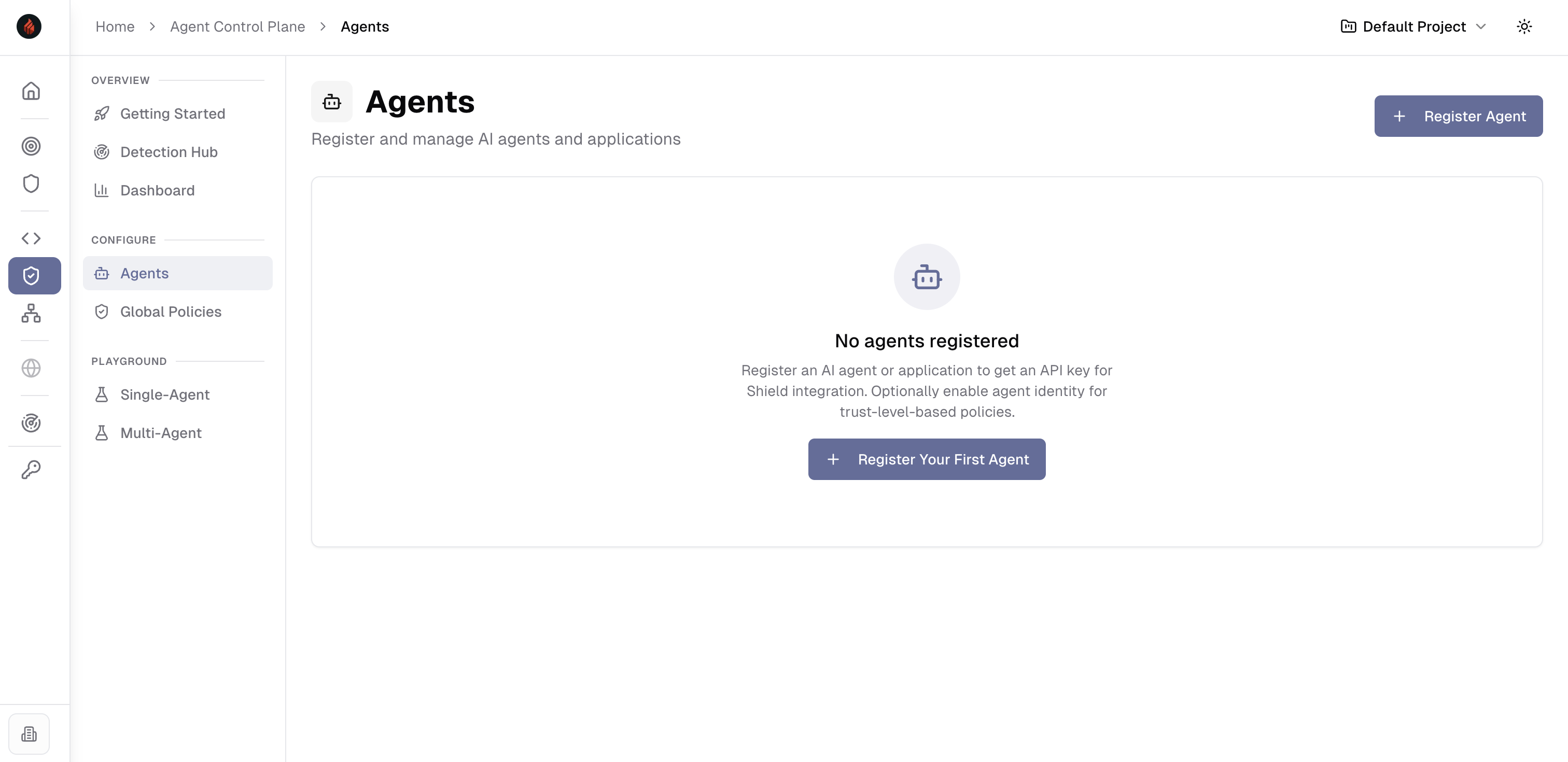
2. Navigate to **Agent Control Plane > Agents**
3. **Register your agent**
4. An API key will be generated (starts with `hf_sk-`).

Keep the key secure. Paste it into the Aperture hook configuration.

<figure><img src="https://3659932009-files.gitbook.io/~/files/v0/b/gitbook-x-prod.appspot.com/o/spaces%2FpgUYXfsM04rweIWDwNvX%2Fuploads%2FTu4oMf1RC1aJLKTv6pGg%2FScreenshot%202026-03-20%20at%206.44.31%E2%80%AFPM.png?alt=media&#x26;token=d377ba49-b008-4cce-9fe6-44fe4b5c2db4" alt=""><figcaption></figcaption></figure>
{% endstep %}

{% step %}

### Configure the Highflame hook endpoint

In Aperture settings, add a `highflame` hook under `hooks`:

```
{
  "hooks": {
    "highflame": {
      "url": "https://api.highflame.ai/v1/agent/events",
      "apikey": "hf_sk-YOUR_API_KEY_HERE",
      "timeout": "30s"
    }
  }
}
```

<table><thead><tr><th width="150.7109375">Field</th><th>Description</th></tr></thead><tbody><tr><td><code>url</code></td><td>Highflame endpoint to ingest Aperture agent events (<code>POST /v1/agent/events</code>)</td></tr><tr><td><code>apikey</code></td><td>Your Highflame API key. Aperture sends this to Highflame as <code>Authorization: Bearer &#x3C;key></code>.</td></tr><tr><td><code>timeout</code></td><td>How long Aperture waits before timing out the hook request</td></tr></tbody></table>
{% endstep %}

{% step %}

### Configure the hook grant (what Aperture sends)

Add a grant in your Aperture config so the hook fires when tool calls occur, and so Highflame receives the fields it needs to evaluate.

Use a grant that matches `tool_call_entire_request` and includes these fields:

* `user_message`
* `tools`
* `request_body`
* `response_body`
* `raw_responses`

Note: In the hook payload, Highflame expects the JSON key `tool_calls`. When you select `fields: ["tools"]` in Aperture, Aperture provides the corresponding tool calls under `tool_calls` for Highflame to parse.

Example grant (adjust `src`/scope as needed):

```
{
  "temp_grants": [
    {
      "src": ["*"],
      "grants": [
        {
          "hook": {
            "match": {
              "providers": ["*"],
              "models": ["*"],
              "events": ["tool_call_entire_request"]
            },
            "hook": "highflame",
            "fields": [
              "user_message",
              "tools",
              "request_body",
              "response_body",
              "raw_responses"
            ]
          }
        }
      ]
    }
  ]
}
```

If you want to limit who/what triggers evaluation, narrow `src`, `providers`, or `models` instead of using `["*"]`.
{% endstep %}

{% step %}

### Save and verify

1. Save your Aperture configuration.
2. Use any LLM client through your Aperture proxy that triggers tool calls.
3. In Highflame, confirm that detections/policy decisions show up for the corresponding session.

Note: The `POST /v1/agent/events` endpoint acknowledges immediately. If you have configured everything correctly, you should see evaluation results appear shortly in the dashboard.
{% endstep %}
{% endstepper %}
